Plan your garden. Pomona remembers the rest.
Draw your beds and plants on a grid, and Pomona turns them into the season's to-do list, from sowing to harvest, dated from your own frost dates. Keep notes and photos on every plant, on your computer or your phone.
Free to start. In English and Polish.


- Computer, tablet and phone
- Keeps working offline
- Installs like an app
- English and Polish
Plan
Your whole garden on one grid
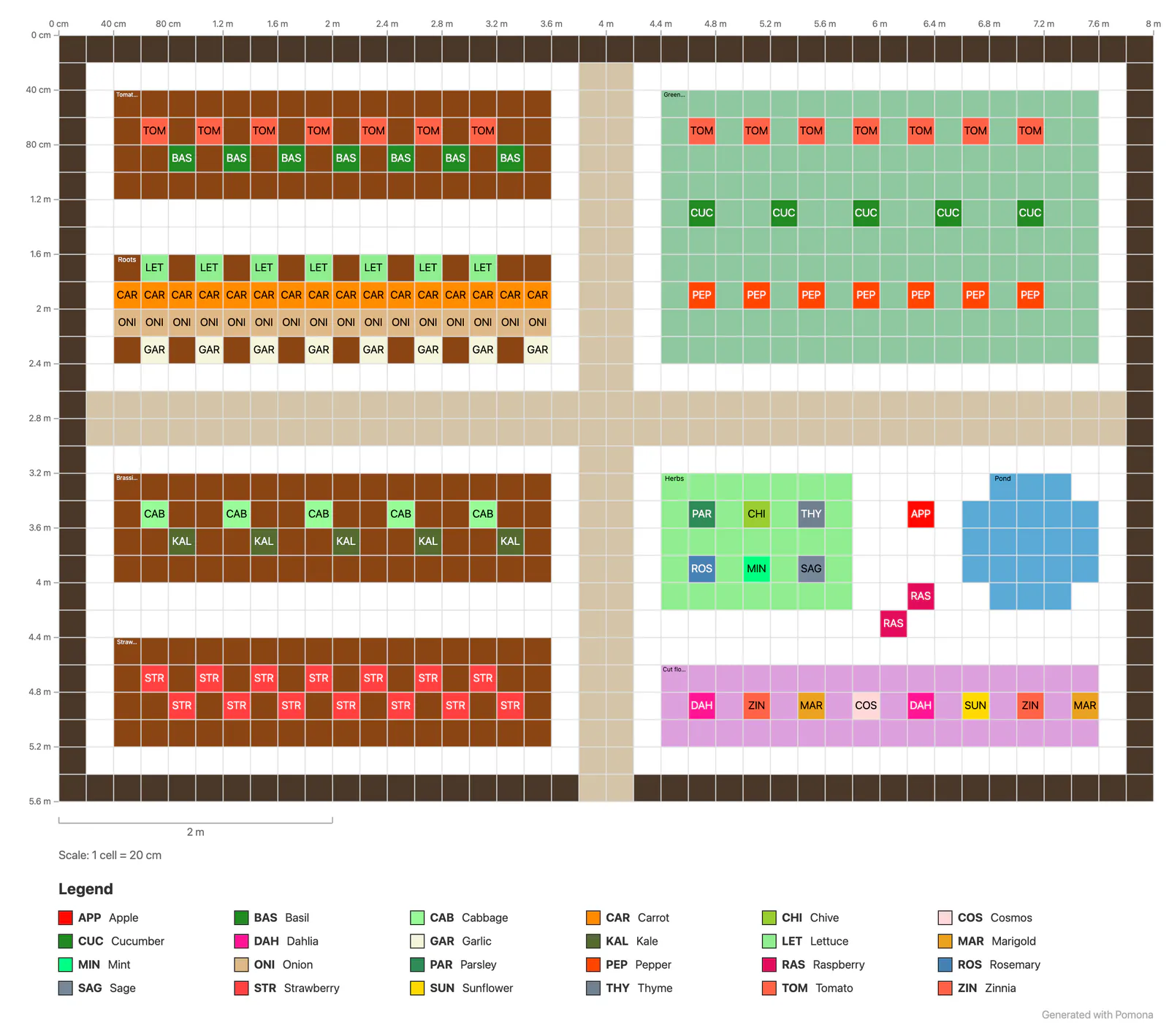
Each cell is a 20 cm square of your garden. Paint raised beds, flowerbeds, paths, fences, a greenhouse or a pond, then fill them with plants from the catalog of 100 or with your own varieties. Label the beds and count the plants.
- Several boards in one garden: this year's plan, next year's rotation, an idea you want to try.
- Export a PNG with a legend and a scale bar, or back up any board as a JSON file.
3D view
See your garden in 3D
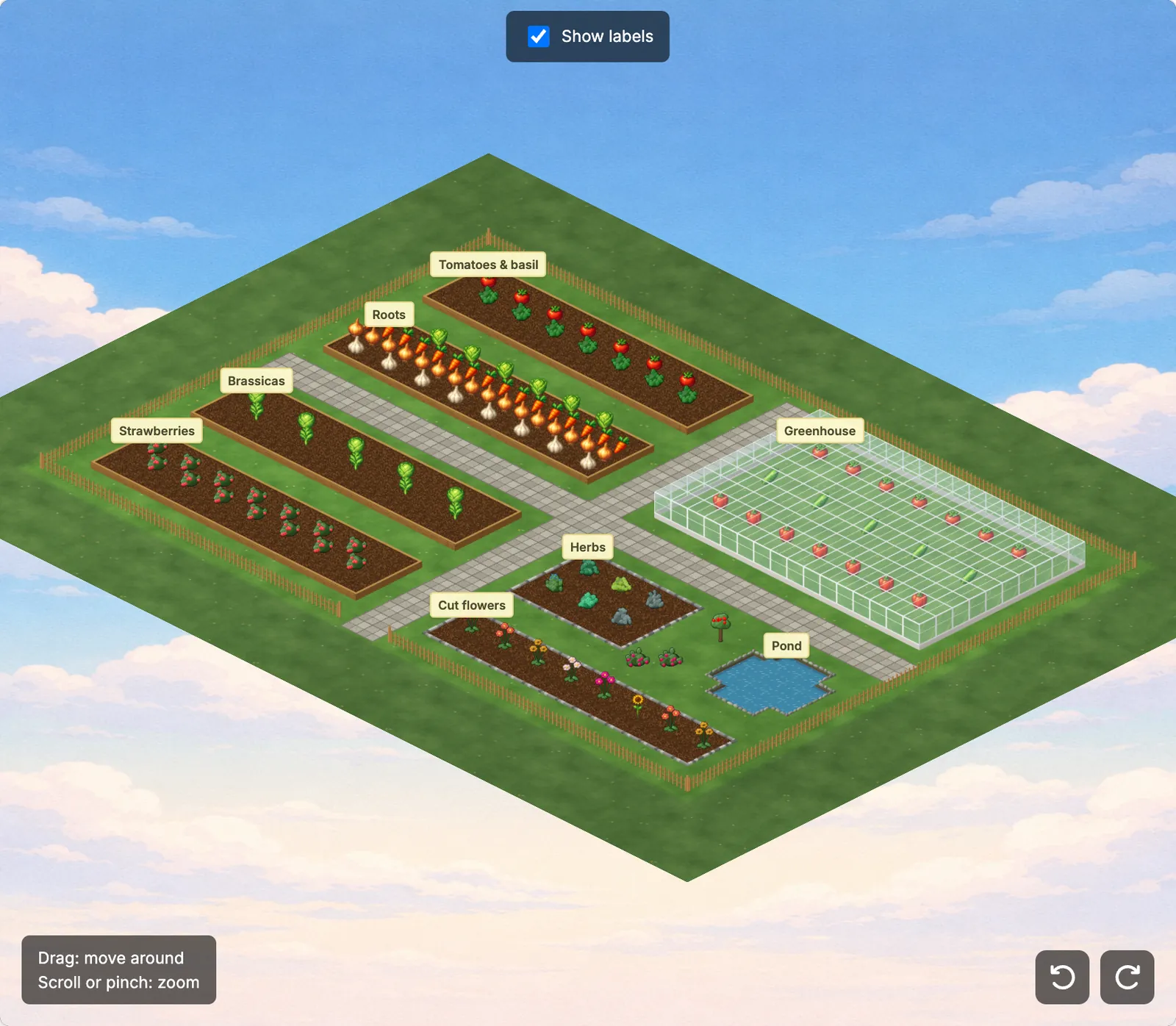
One click turns the plan into a small garden you can look around. Raised beds rise from the lawn, paths, fences and the pond sit where you drew them, plants grow in their beds, and you can see through the greenhouse glass to what grows inside.
- Turn the garden a quarter at a time, zoom in on one bed or out to the whole plot.
- Free for everyone, right in the editor.
Season
A to-do list worked out from your season
Add what you're growing this year and every plant brings its jobs: sow indoors, pot up, harden off, plant out, feed, pick. All 100 plants in the catalog come with suggested reminders, dated from your plant-out day and the end of your season.
In settings you choose when you plant out, when the season ends and whether you have a greenhouse. Plants under glass follow the greenhouse dates. Move a date and the reminders move with it.
- Notifications on your phone or computer at the hour you choose.
- Jobs for the whole garden too, with a date or without one.

AI assistant
Photograph the seed packet, get the reminders
Take a photo of the back of a seed packet or a plant label, or paste the instructions. Pomona reads the sowing, planting and harvest times and puts them next to the reminders the plant already has, so you choose what to keep.
Growing something the catalog doesn't have? Ask AI for a care schedule. It can also name a plant from a photo and put it in its cell, or answer a question about a journal entry and its photos.
Every suggestion waits for your review. AI can be wrong.

Journal
Notes and photos on every plant
Click a cell and write down what happened: planted out, first truss, fleece on before a frost. Add up to five photos to a note, straight from the phone's camera. The garden journal keeps every entry, and you can filter it by plant, by date or to photos only.

Everywhere
Plan at the desk, tick off in the garden
Pomona runs in the browser on a computer, tablet or phone, and you can install it on the home screen. Your gardens sync between your devices.
No signal by the shed? Keep going. Changes to the plan are saved on the device and sent when you're back online, and the season's to-do list opens without a connection.


There's more
Next season
Start next year from a copy: the same plants and reminders on new dates.
Several boards
This year, next year's rotation, a what-if. Duplicate one to start.
PNG to print
Legend, scale bar and distances along the edges, at up to 3× resolution.
JSON backup
Export a board with your own plants and import it again later.
CSV import
Sketch a bed in a spreadsheet and bring it in as a board.
Your own plants
Your varieties, with a color and reminders of their own.
Plant counts
How many of each plant are on the board or in a selection.
Dark mode
Easier on the eyes when you plan in the evening.
Plan this season's garden
Start with one bed or the whole plot.
Free to start. Paid plans add more gardens and boards, and your own plants.
About the name
Pomona was the Roman goddess of orchards, fruit trees and cultivated gardens. Her stories are about tending and pruning rather than battles or oracles. We borrowed her name because that's the kind of tool we wanted to make: quiet, practical, made for the slow work of growing things.